
This April marks one year since BONSAI JOURNEY began.
To everyone who has walked this path with us, we offer our heartfelt thanks.
The true potential of bonsai lies beyond technique — guided by this conviction, gained over the past year, we have fully redesigned the site to cast a deeper light on the spiritual dimension. We have also made a number of improvements so you can focus on your engagement with bonsai.
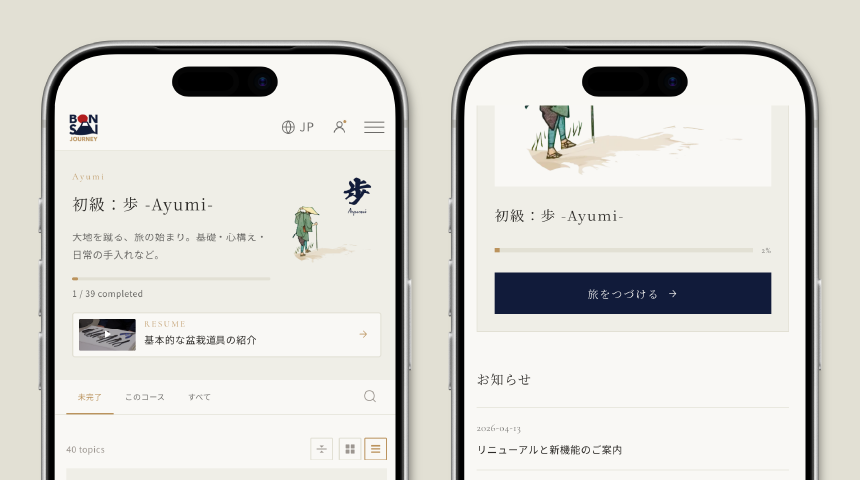
Seamless Learning — Resume Where You Left Off
The site now remembers where you stopped in each video, allowing you to resume from that exact point on any device.
Start watching on your phone, continue on your computer. Your learning flows on, uninterrupted.
A Richer Video Experience
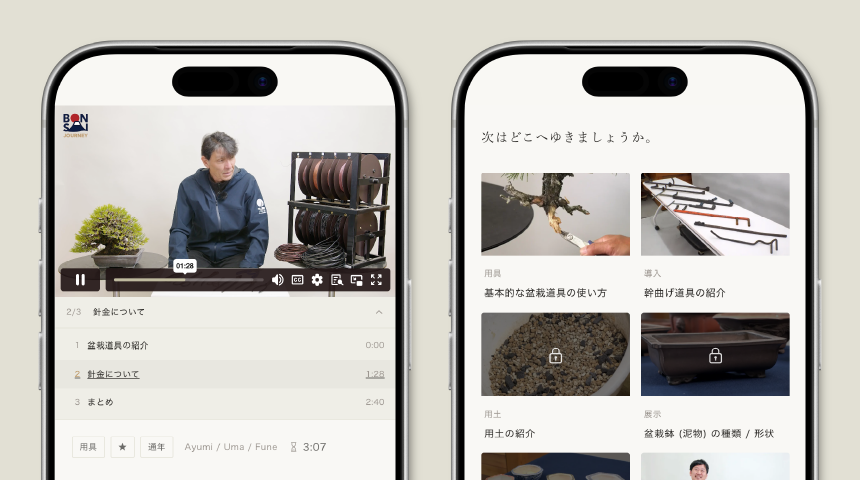
A chapter bar now sits directly beneath the player, letting you see at a glance where you are in each lesson.
With video durations displayed, related videos suggested, and a refined comment section, the quality of your viewing time itself has been elevated.
Course Navigation at Your Own Pace
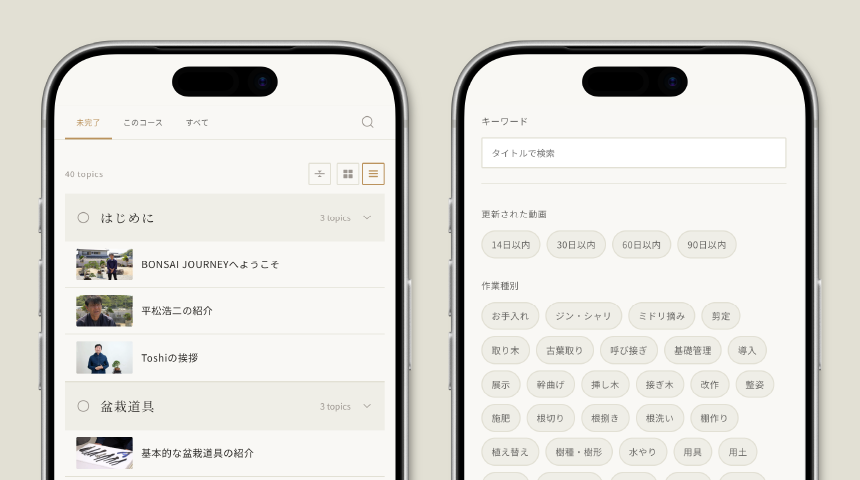
We have added filtered search to the course top page.
Browse everything at once for the full picture, or narrow down by keyword or tag to find themes that interest you. Reach the lessons you need, at your own pace.
From Registration to Payment, Smoother Than Ever
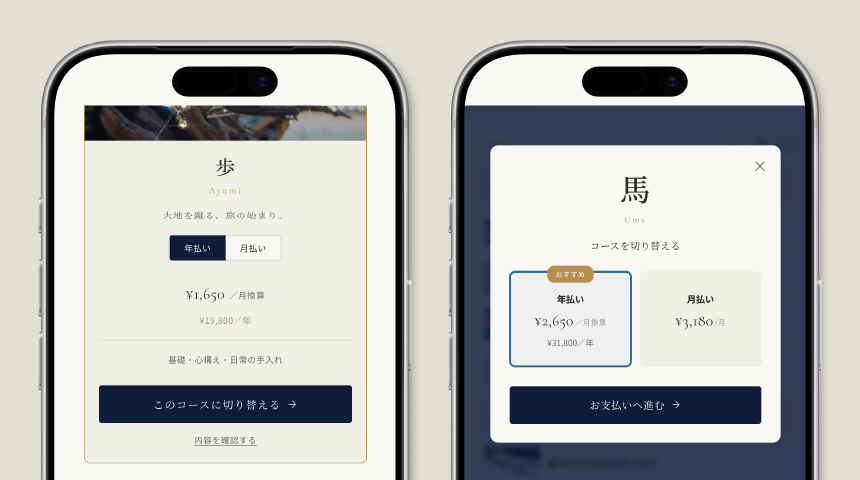
Login, registration, course selection, payment, and account management — every step has been rebuilt with a consistent design.
With direct checkout that bypasses the cart and the ability to choose monthly or annual billing on the spot, we have reduced the number of steps required.
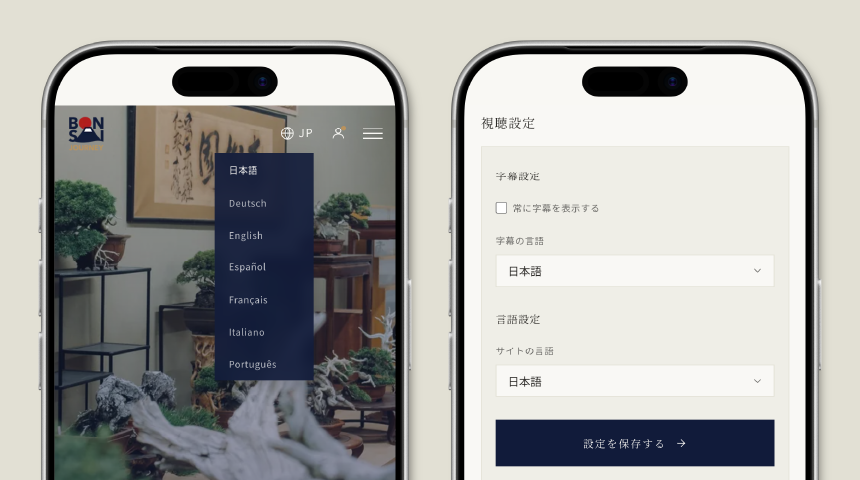
Available in Your Language
You can now set and save the site display language and video subtitle language independently.
Once configured, your choices are remembered for every future visit. Seven languages are supported, including Japanese.
We will continue to move forward — quietly, carefully — so that this journey may remain something meaningful for each of you.
Thank you, as always, for being part of this journey.
